What Tasks Can AI Actually Automate in Your Small Business?
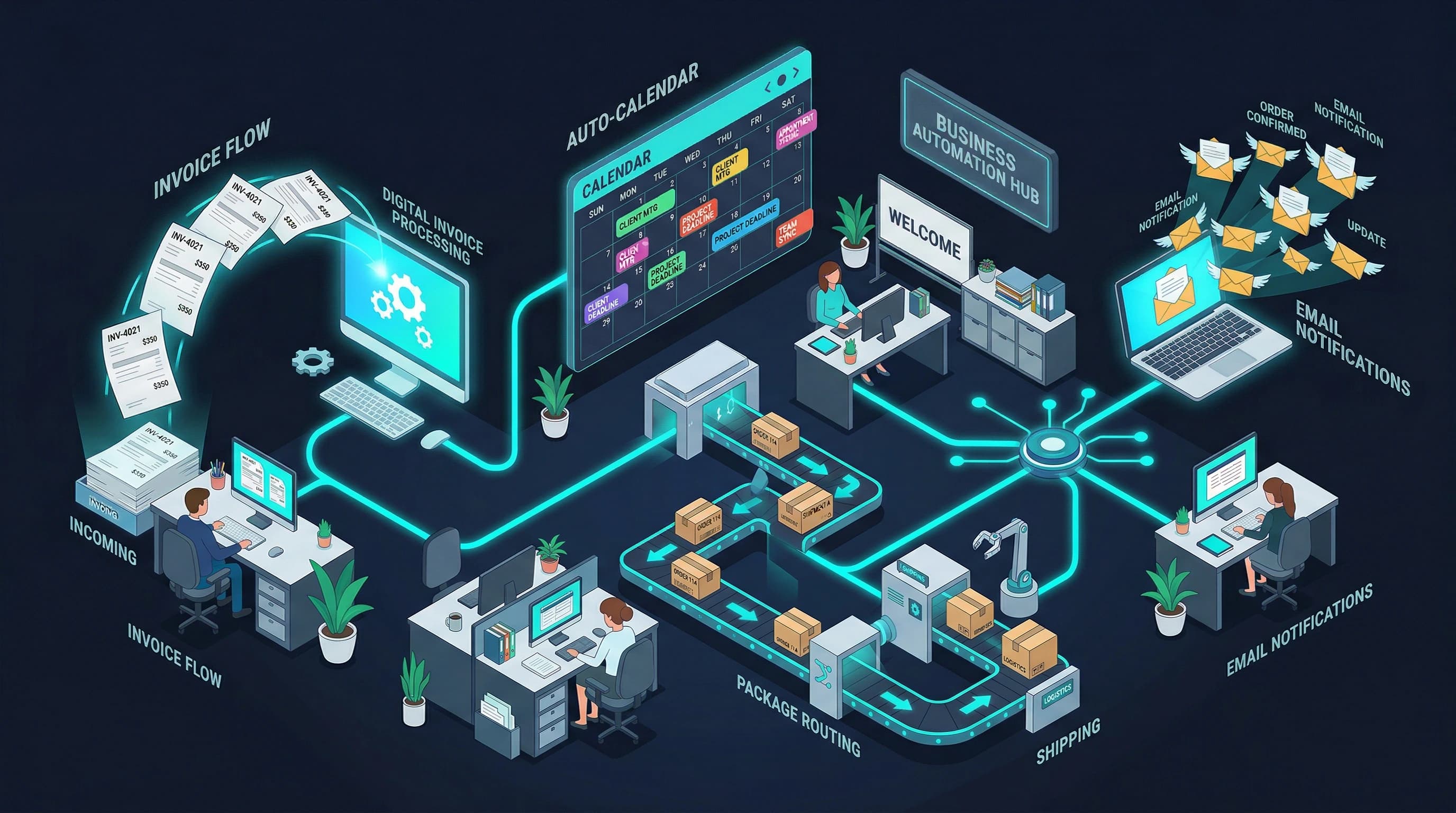
What Tasks Can AI Actually Automate in Your Small Business?
AI can automate data entry, invoice processing, scheduling, order routing, customer follow-ups, report generation, and dozens of other repetitive tasks across every department of a small business. The best candidates for automation are high-volume, rule-based processes that follow consistent patterns — not creative work or complex decision-making. According to the AI Journal (2026), 68% of small businesses now use AI regularly, but most have only scratched the surface of what can be automated.
This guide organizes every automatable task by department so you can find the quick wins for your specific business.
How to Identify Tasks Worth Automating
Before diving into the full list, here's the filter. A task is a good automation candidate if it meets three or more of these criteria:
- Repetitive — You or your team does it the same way, multiple times per day or week
- Rule-based — It follows clear "if this, then that" logic
- High-volume — It happens frequently enough that automation saves meaningful time
- Error-prone — Manual execution leads to mistakes that cost money or customers
- Time-consuming — It takes enough time that reclaiming it would change how your team operates
- Low-judgment — It doesn't require creative thinking, negotiation, or emotional intelligence
The more boxes a task checks, the higher the ROI from automating it.
Sales and Lead Management
| Task | Time Saved | Complexity | Description |
|---|---|---|---|
| Lead capture and CRM entry | 3-5 hrs/week | Low | Automatically create CRM records from form submissions, emails, or chat inquiries |
| Lead qualification scoring | 2-4 hrs/week | Medium | Score incoming leads based on criteria (company size, industry, budget) and route to the right salesperson |
| Follow-up email sequences | 4-6 hrs/week | Low | Send personalized follow-up emails based on prospect behavior (opened email, visited pricing page, downloaded resource) |
| Meeting scheduling | 2-3 hrs/week | Low | Let prospects book directly into your calendar with automated confirmation and reminders |
| Proposal generation | 3-5 hrs/week | Medium | Generate proposals from templates using CRM data — client name, scope, pricing |
| Pipeline reporting | 1-2 hrs/week | Low | Auto-generate weekly pipeline summaries from CRM data |
Where to start: Lead capture and follow-up sequences. These are high-volume, low-complexity, and directly impact revenue.
Finance and Accounting
| Task | Time Saved | Complexity | Description |
|---|---|---|---|
| Invoice data extraction | 5-8 hrs/week | Medium | Extract line items, amounts, and vendor details from PDF/email invoices into your accounting system |
| Expense categorization | 2-3 hrs/week | Low | Automatically categorize bank transactions and credit card charges |
| Payment reminders | 1-2 hrs/week | Low | Send automated payment reminders at 30, 60, and 90 days past due |
| Invoice matching | 3-5 hrs/week | Medium | Match purchase orders to invoices to receipts — flag discrepancies for review |
| Financial report generation | 2-4 hrs/week | Medium | Pull data from QuickBooks/Xero, generate formatted weekly or monthly reports |
| Payroll data preparation | 2-3 hrs/week | Medium | Aggregate time tracking data, calculate hours, prepare for payroll processing |
Where to start: Invoice data extraction. Manual invoice processing takes an average of 17.9 days; automation reduces it to 3.4 days with 40-80% cost reduction per invoice (Klippa, 2026). For businesses processing 50+ invoices per month, this is typically the highest-ROI automation.
Operations and Logistics
| Task | Time Saved | Complexity | Description |
|---|---|---|---|
| Order routing | 4-8 hrs/week | Medium | Route incoming orders to the correct warehouse, fulfillment partner, or production queue based on product type, location, or inventory |
| Inventory level alerts | 1-2 hrs/week | Low | Monitor stock levels and trigger reorder notifications or purchase orders at defined thresholds |
| Shipment tracking updates | 2-4 hrs/week | Low | Pull tracking data from carriers, update order status, notify customers automatically |
| Dispatch scheduling | 5-10 hrs/week | High | Optimize job assignments based on location, skill requirements, and availability |
| Exception alerts | 2-3 hrs/week | Medium | Monitor for delivery delays, inventory shortages, or quality issues and alert the right person immediately |
| Vendor communication | 2-4 hrs/week | Low | Send automated purchase orders, order confirmations, and delivery schedule requests |
Where to start: Order routing or inventory alerts. Both are high-volume, rule-based, and the errors from manual handling are costly — 33% of B2B online orders contain errors from manual processing.
Customer Service and Communication
| Task | Time Saved | Complexity | Description |
|---|---|---|---|
| Appointment confirmations and reminders | 2-3 hrs/week | Low | Send confirmation emails/SMS when appointments are booked, with reminders 24 and 2 hours before |
| Post-service follow-ups | 2-4 hrs/week | Low | Automatically request reviews, send thank-you messages, or check in after service delivery |
| FAQ responses | 3-5 hrs/week | Medium | Auto-respond to common questions (hours, pricing, availability) via email or chat |
| Shipping and order status updates | 2-3 hrs/week | Low | Proactively notify customers of order status changes without them needing to ask |
| Review request sequences | 1-2 hrs/week | Low | Send review requests to customers 3-7 days after purchase or service completion |
| Complaint routing | 1-2 hrs/week | Medium | Categorize incoming complaints by type and severity, route to the appropriate team member |
Where to start: Appointment confirmations and post-service follow-ups. These are low-complexity, high-impact for customer retention, and can be set up in days.
Human Resources and Admin
| Task | Time Saved | Complexity | Description |
|---|---|---|---|
| New employee onboarding docs | 3-5 hrs/new hire | Medium | Auto-generate and send onboarding paperwork, collect signed documents, set up accounts |
| Time-off request processing | 1-2 hrs/week | Low | Manage PTO requests with automated approval workflows and calendar updates |
| Document collection | 2-4 hrs/week | Low | Request, collect, and organize documents from employees or clients with automated reminders |
| Meeting notes and action items | 2-3 hrs/week | Medium | Transcribe meetings, extract action items, assign tasks, send follow-up summaries |
| Compliance deadline tracking | 1-2 hrs/week | Low | Monitor license renewals, certification expirations, and compliance deadlines with automated alerts |
Where to start: Document collection. For professional services firms especially, automating document requests and follow-ups (tax documents, contracts, compliance forms) saves significant admin hours and reduces client friction.
Marketing
| Task | Time Saved | Complexity | Description |
|---|---|---|---|
| Social media scheduling | 2-4 hrs/week | Low | Schedule posts across platforms from a central calendar with optimal timing |
| Email list segmentation | 1-2 hrs/week | Medium | Automatically segment contacts based on behavior, purchase history, or demographics |
| Campaign performance reports | 1-3 hrs/week | Low | Pull data from ad platforms and email tools, generate consolidated reports |
| Content distribution | 1-2 hrs/week | Low | Auto-publish blog posts to social channels, email newsletter, and syndication platforms |
| Review monitoring | 1-2 hrs/week | Low | Monitor Google Reviews, Yelp, and industry sites for new reviews, alert for negative ones |
Where to start: Campaign reporting and review monitoring. Both save time and surface actionable information faster.
What AI Cannot Automate (and Shouldn't)
Being honest about limitations builds more trust than overselling. Here's what doesn't work well with AI automation:
- Complex negotiations — Pricing discussions, contract terms, partnership agreements. These require human judgment, context, and relationship awareness.
- Creative strategy — Deciding what to write, which market to enter, or how to position your product. AI can assist with research and drafts, but the decisions are yours.
- Novel customer problems — When a customer has an issue you've never seen before, AI doesn't have a playbook to follow. It can escalate — it shouldn't resolve.
- Employee performance conversations — Feedback, coaching, and difficult conversations require empathy and context that AI can't provide.
- High-judgment decisions — Approving large purchases, evaluating vendor quality, assessing risk. These benefit from experience and intuition.
- Rapidly changing processes — If your workflow changes monthly, the cost of maintaining the automation exceeds the savings.
The 47% of SMB owners who say "I don't know how to use AI" (1st Formations, 2025) often fear it'll replace their judgment. It won't — and it shouldn't. AI automation handles the repetitive work so humans can focus on the judgment calls.
Prioritization Framework: Where to Start
If you're overwhelmed by the options, use this prioritization matrix:
| Priority | Criteria | Example Tasks |
|---|---|---|
| Start here | High volume + low complexity + clear ROI | Invoice data entry, appointment scheduling, lead capture, payment reminders |
| Quick wins | Low volume but very easy to set up | Social post scheduling, review monitoring, document collection reminders |
| High-value projects | High volume + high complexity + major ROI | Order routing, dispatch optimization, multi-step customer onboarding |
| Skip for now | Low volume + high complexity | One-off report generation, seasonal processes, processes in flux |
The "Complaint Test"
The simplest way to find your first automation: ask your team what they complain about most. The task that makes your office manager sigh, your dispatcher groan, or your bookkeeper work late — that's almost always the right first automation.
It's usually repetitive, time-consuming, and everyone agrees it should be someone else's problem. AI makes it no one's problem.
What Does Automation Look Like in Practice?
Here's a concrete example of a before-and-after:
Before: Manual Invoice Processing
- Vendor emails PDF invoice
- Office manager downloads and opens PDF
- Manually types line items into QuickBooks
- Cross-references against purchase order in spreadsheet
- Emails manager for approval if over $1,000
- Enters payment date into calendar
- Files PDF in folder structure
Time per invoice: 15-25 minutes. Weekly volume: 40 invoices. Weekly time spent: 10-17 hours.
After: Automated Invoice Processing
- Invoice arrives via email
- AI extracts vendor, line items, amounts, and due date
- System matches against purchase order automatically
- Discrepancies flagged for human review; matches processed automatically
- Approval request sent to manager for invoices over $1,000 (via Slack or email)
- Approved invoices entered into QuickBooks and payment scheduled
- PDF filed automatically with consistent naming
Time per invoice: 1-2 minutes of human oversight for flagged items. Weekly time spent: 2-3 hours (80% reduction).
The Bottom Line
Almost every small business has 20-40 hours per week of work that could be automated. You don't need to automate all of it — or even most of it. Start with one process that's high-volume, repetitive, and that your team is tired of doing manually. Prove the ROI. Then expand.
The businesses that get the most value from automation aren't the most technical — they're the ones that pick the right first process and execute it well.
Want to identify which of your specific processes are the best automation candidates? Our free 30-minute process audit maps your workflows and ranks your opportunities by ROI. No pitch, no pressure — book your audit here.